
HubSpot Sends Multiple Webhooks: How to Deduplicate in Make.com
hubspot sends multiple webhooks after slow or missing 200 responses. This guide shows Make.com deduplication with event keys, state tracking, and alert routing.
Short on time
Start with the key sections below, then jump to FAQ for direct answers. If you need implementation help, use the contact button and I will map the shortest safe rollout path.
On this page (12)
- The production problem nobody explains during setup
- Why HubSpot sends the same webhook multiple times
- How to identify whether webhooks are true duplicates
- How to deduplicate in Make.com
- Which method to use
- HubSpot webhook signature verification in Make.com
- Monitoring: measure duplicate pressure instead of guessing
- Incident runbook: when duplicates are already live
- Connection to broader duplicate-prevention architecture
- Common implementation mistakes that recreate duplicates
- FAQ
- Next steps
On this page
The production problem nobody explains during setup
I have reviewed 74 HubSpot webhook subscriptions connected to Make.com where teams believed delivery was one event in and one run out. In staging that looked true. In production the same business event often arrived multiple times, and every retry ran downstream writes again. That is how one property change became duplicate contacts, duplicate deals, and duplicate Slack alerts in live systems.
If you are searching hubspot sends multiple webhooks, you are usually in one of two states:
- you already see duplicate records,
- or you see execution spikes and do not know whether they are retries or new events.
Both cases are recoverable with deterministic controls. This guide gives the exact operating model: identify retry signatures, deduplicate safely, preserve audit state, and route failures to owners instead of losing them in execution logs.
For operating context, see About. For a concrete CRM example, review Typeform to HubSpot dedupe. If your team wants direct implementation support, use Contact.
Why HubSpot sends the same webhook multiple times
hubspot webhook retry behavior is by design. HubSpot webhook delivery follows at-least-once semantics, not exactly-once semantics. That means reliable delivery can include retries, and your receiver must be idempotent.
In production, duplicates usually come from three mechanisms.
Reason 1: endpoint did not return 200 fast enough
HubSpot expects a successful acknowledgment quickly. If your endpoint response is delayed, HubSpot can assume delivery uncertainty and retry the event.
Make.com scenarios are vulnerable here when they do expensive work before acknowledgment:
- cross-system lookups,
- multi-step enrichment,
- external API calls,
- heavy branching with waits.
Observed incident pattern:
- HubSpot sends event
eventId=991827. - Make.com begins processing.
- Processing takes longer than expected.
- HubSpot retries same event.
- Both runs write to CRM or messaging lanes.
The first run may succeed and the second still executes, creating duplicates unless dedupe gates block it.
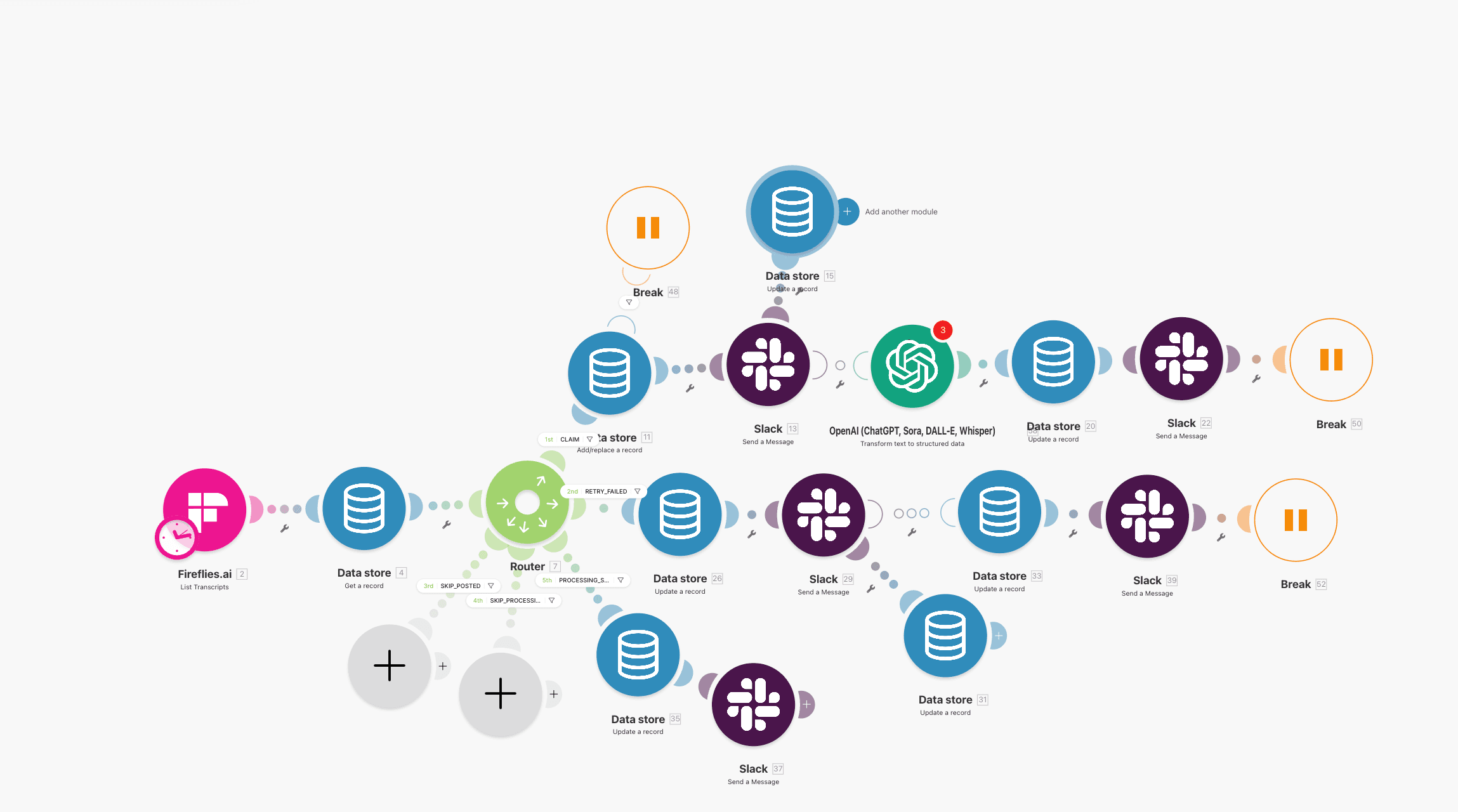
Retry attempts are delivery protection on HubSpot side, but they become duplicate risk without receiver controls.
Reason 2: event bursts and overlapping triggers
During imports, workflow updates, list transitions, or bulk property changes, event volume can spike. One record may emit several close events from different subscriptions or automation branches.
This is not always a literal retry. It can be distinct events for the same object in a very short window.
Example:
- Workflow A updates
lifecycle_stage. - Workflow B watches that property and updates owner.
- Both emit webhook traffic for same contact.
- Downstream lane treats both as create-worthy signals.
You then see hubspot webhook sent multiple times, but root cause is trigger topology, not transport failure.
Reason 3: multiple subscriptions or mis-scoped filtering
Teams often keep old subscriptions active after redesigns. If two subscriptions target similar object changes and both point to the same receiver URL, duplicate processing is guaranteed.
Common audit findings:
- legacy subscription left enabled after migration,
- broad filter criteria that catch every update,
- test and production subscriptions both active,
- parallel endpoints both forwarding to the same Make.com scenario.
When this exists, dedupe gates still protect writes, but trigger cleanup is needed to reduce noise and operating cost.
How to identify whether webhooks are true duplicates
Before changing logic, classify event behavior correctly. I use two checks first.
Check 1: classify by eventId, subscriptionId, and objectId
HubSpot webhook payloads include identifiers you can use as conflict keys:
eventId: unique event occurrence,subscriptionId: which subscription emitted it,objectId: target object,occurredAt: event time.
Interpretation model:
- same
eventIdrepeated -> retry of same event, - different
eventId, sameobjectId, short interval -> trigger overlap or burst updates, - different
eventIdand differentobjectId-> normal concurrent activity.
Do not deduplicate solely by objectId unless you intentionally use a time window control. Object-level dedupe alone can suppress legitimate updates.
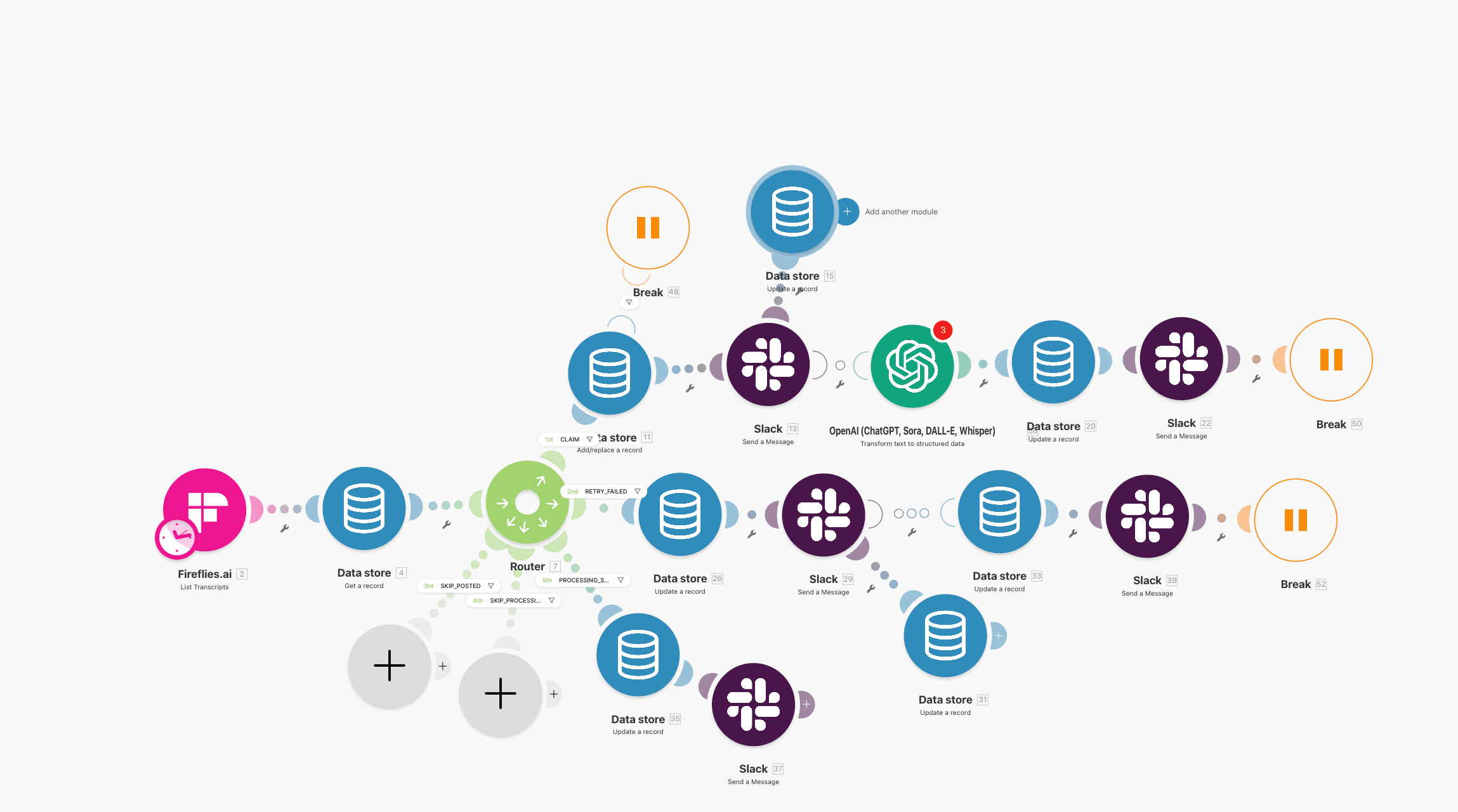
Mapping trigger branches early shows whether duplicate traffic is retry-driven or workflow-driven.
Check 2: compare Make.com execution inputs by correlation key
In execution history:
- capture incoming payload hash or
eventId, - group runs by that key,
- inspect whether payload body is identical.
If payload and key match across runs, you have retry duplication. If payload differs slightly around the same object, you likely have trigger chaining.
Use this distinction to choose method:
- retry duplication -> eventId gate,
- trigger burst -> objectId plus time-window gate,
- mixed behavior -> combined gate with priority rules.
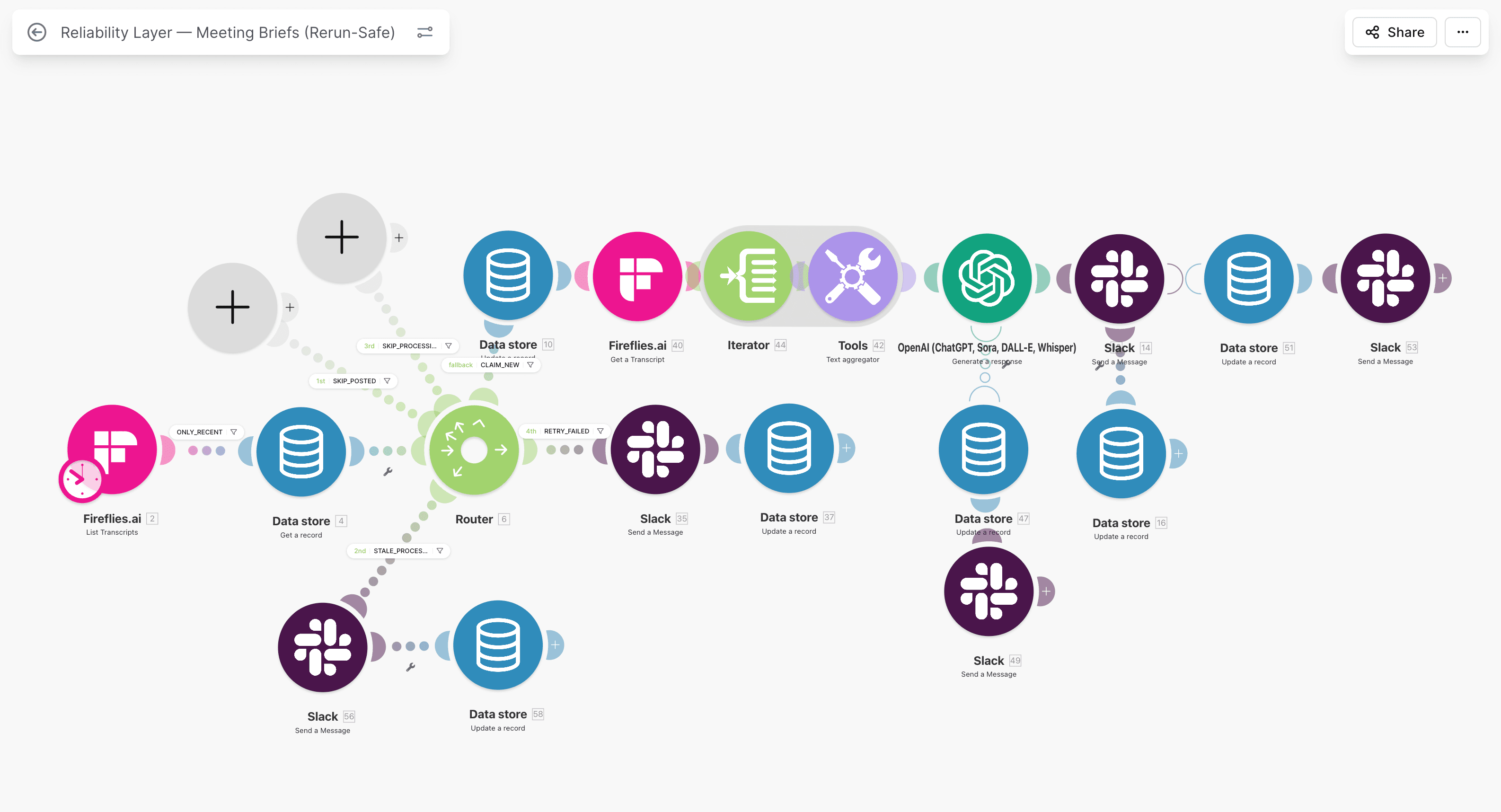
Execution history is useful only when keyed. Without a stable key, duplicates look like random noise.
How to deduplicate in Make.com
The minimum safe baseline is event-level state memory before any write side effect.
Method 1: Data Store dedupe by eventId (baseline)
This is the fastest robust control.
Flow:
- Webhook arrives, extract
eventId. - Check Data Store for
eventId. - If found with status
completed-> skip processing. - If missing -> create state row
processingand continue. - On success -> set
completed. - On failure -> set
failedand alert owner.
This blocks classic retries where identical event is delivered multiple times.
Required row fields:
| Field | Purpose |
|---|---|
event_id | primary dedupe key |
object_id | secondary context for incident triage |
subscription_id | source subscription traceability |
status | processing / completed / failed |
updated_at | state transition timestamp |
error_code | failure class for escalation |
For a full state model, use Make.com Data Store as state machine.
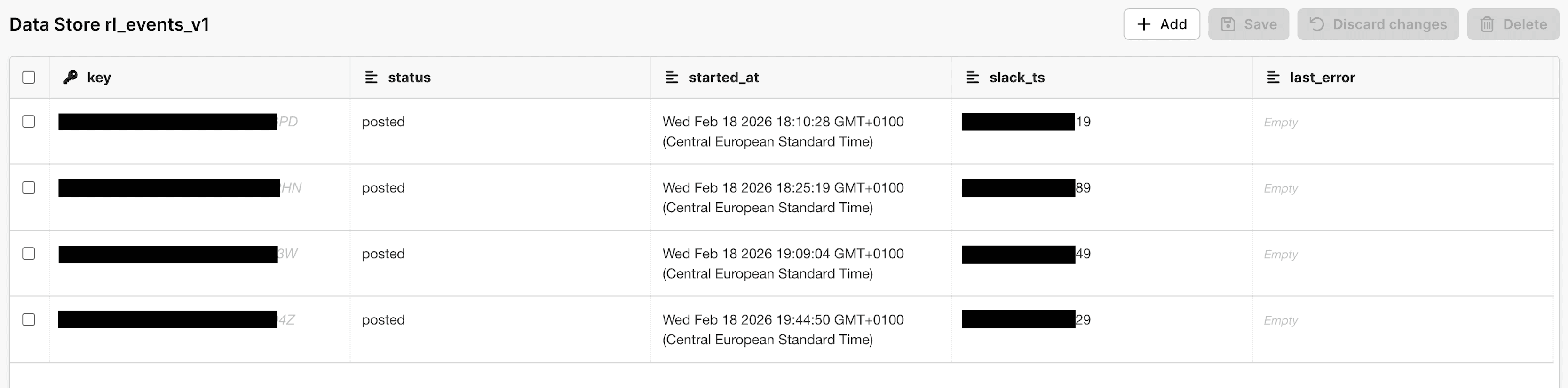
State rows should be readable by operators, not only by the scenario author.
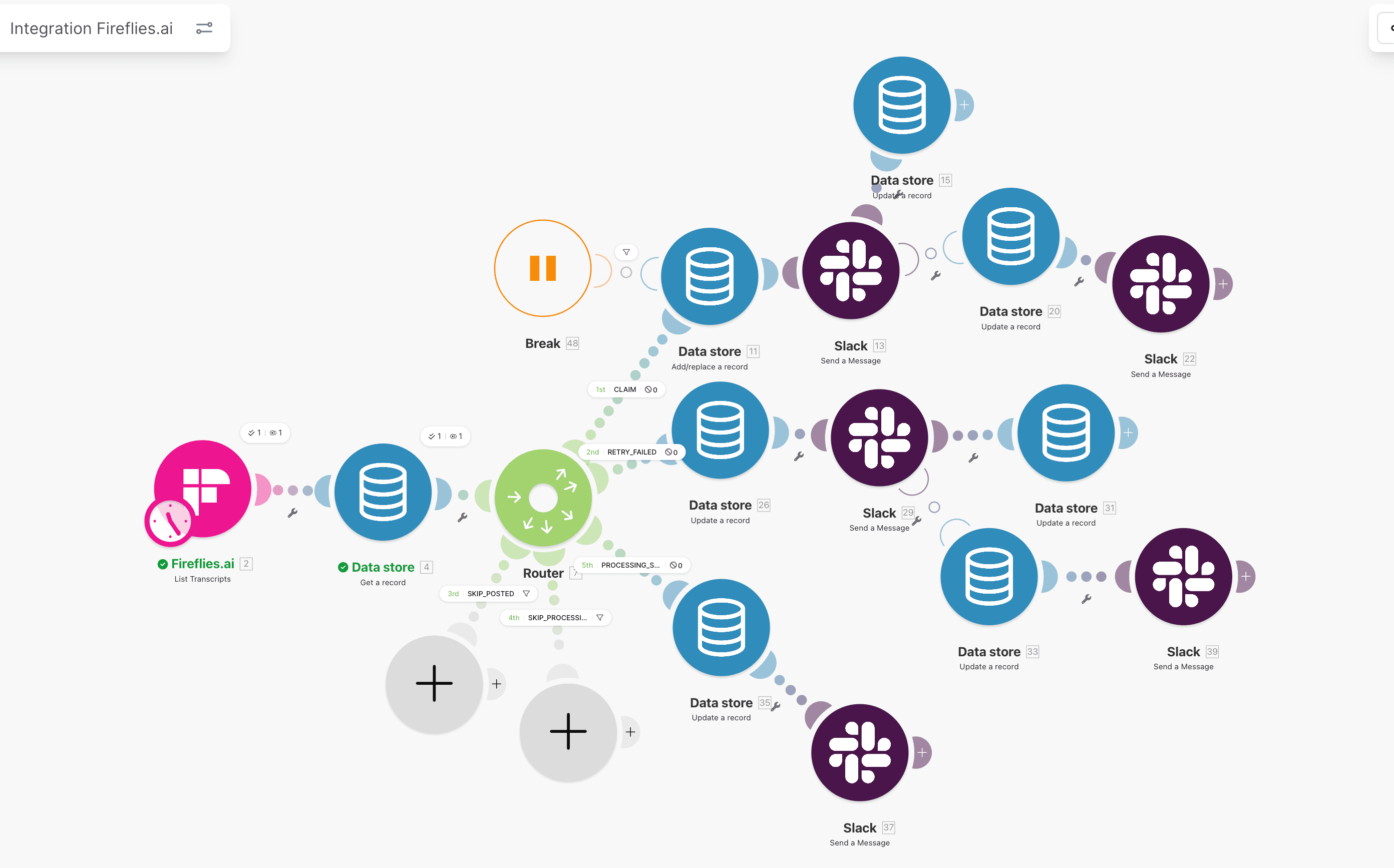
Put dedupe before external writes, not after. Post-write dedupe cannot undo side effects.
Method 2: objectId plus time-window gate (burst protection)
EventId dedupe does not catch distinct events that still create duplicate downstream actions. For burst-heavy environments, add a short object window rule.
Flow:
- Build key:
objectId + event_type. - Query recent processed entries for same key within window (for example 45 to 90 seconds).
- If match exists and action would be duplicate side effect -> skip or merge.
- Else continue.
Use this carefully. Window dedupe can suppress legitimate rapid updates if the window is too wide.
Operational tuning approach:
- start with 30 seconds,
- monitor suppressed events,
- raise only if duplicate side effects remain,
- document exceptions where every update must pass.
Method 3: receive fast, process async queue (high-volume control)
This pattern reduces retries at source and stabilizes heavy lanes.
Architecture:
- Receiver scenario accepts webhook and quickly stores payload as
queued. - Receiver returns success immediately.
- Processor scenario runs on schedule, pulls queued records, applies dedupe and business logic.
- Processor updates state to
completedorfailed.
Benefits:
- fewer source retries due to fast acknowledgment,
- clearer throughput and backlog visibility,
- controlled retries independent of source timing behavior,
- easier incident isolation.
Trade-off:
- additional scenario complexity,
- queue maintenance required,
- monitoring needed for backlog growth.
For most teams above low volume, this is worth it.
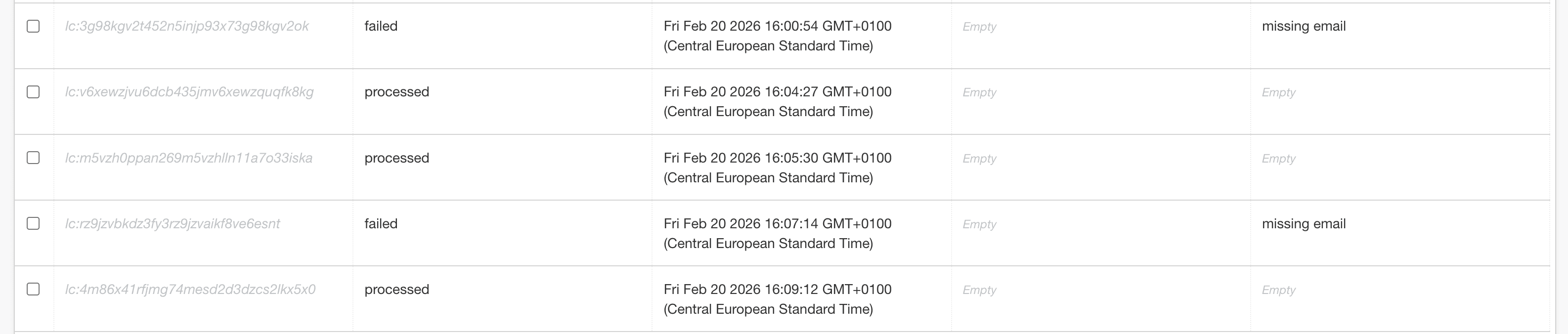
Separate intake from heavy processing if webhook latency causes recurrent retries.
Which method to use
| Situation | Best starting pattern |
|---|---|
| Low-volume lane with rare bursts | Method 1 (eventId dedupe) |
| Medium volume with overlapping triggers | Method 1 + Method 2 |
| High volume or heavy downstream calls | Method 3 + Method 1 |
| Multi-system critical writes | Method 3 + state machine + alerting |
Rule I use in production rollouts: Method 1 is mandatory baseline. Methods 2 and 3 are scale controls.
Service path
Need ops help beyond this article?
Current client work is Stripe Connect operations. See services for payout, triage, and verification lanes.
HubSpot webhook signature verification in Make.com
hubspot webhook signature verification protects authenticity, not dedupe. You still need dedupe controls even after signature checks.
Why verify signatures:
- block spoofed requests,
- reduce replay abuse risk from copied payloads,
- ensure receiver accepts only HubSpot-signed traffic.
Basic verification steps:
- Read signature header from incoming request.
- Recompute signature from raw payload using shared secret.
- Compare computed and received signatures.
- If mismatch -> reject event, log security incident, alert owner.
Operational warnings:
- canonical string construction must match HubSpot docs exactly,
- whitespace or URL normalization differences break checks,
- clock skew and timestamp windows must be handled if versioned signatures use time bounds.
In Make.com, teams usually implement this via a lightweight verification step in custom webhook handling or a verification middleware before writing to Data Store.
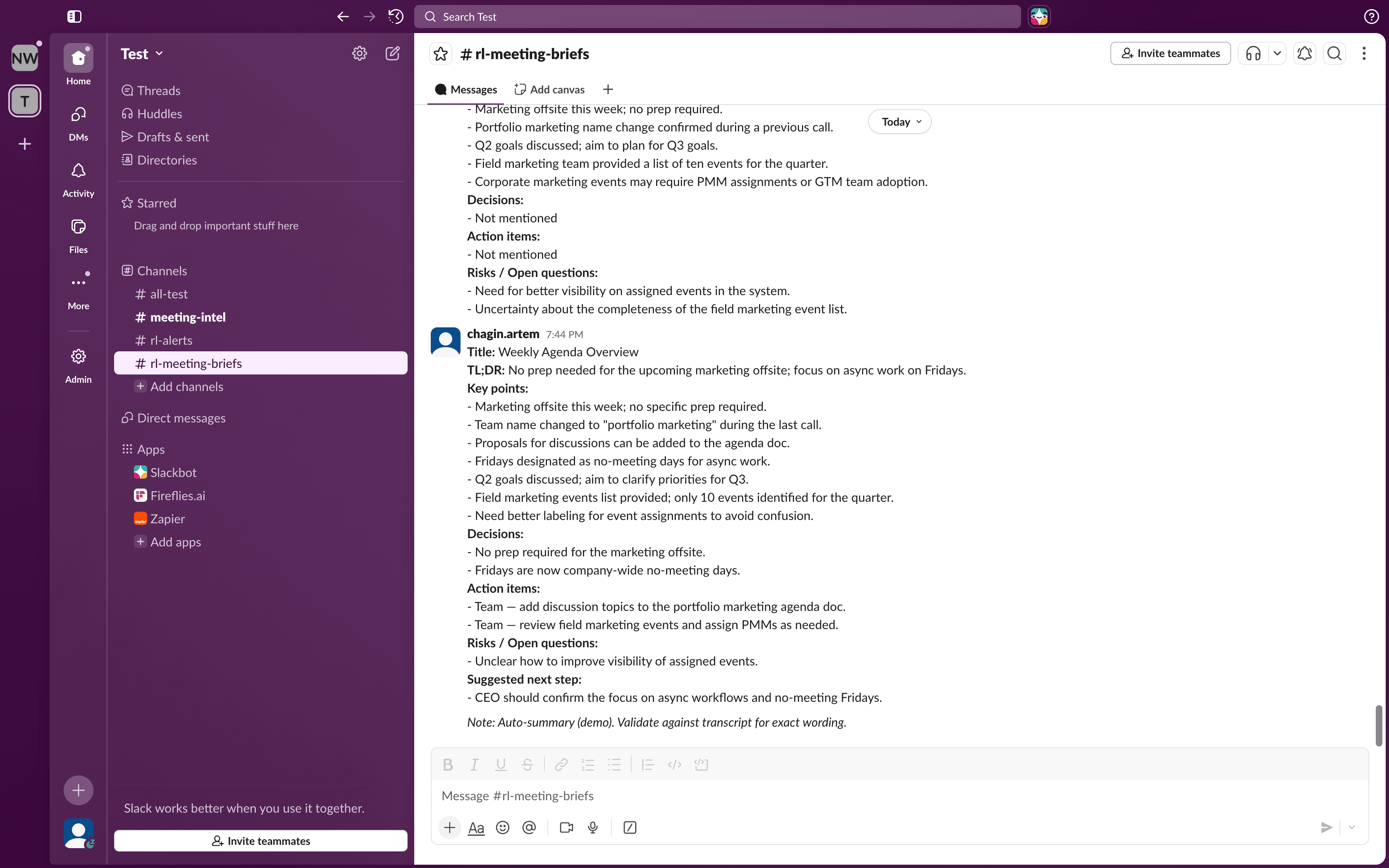
Treat signature mismatch as a security event with ownership, not a silent discard.
Monitoring: measure duplicate pressure instead of guessing
After dedupe rollout, track duplicate pressure explicitly. Without metrics, teams think issue is solved when conflict load just moved.
Track at least:
| Metric | What it tells you | Alert threshold idea |
|---|---|---|
| duplicate eventId rate | retry pressure from source delivery | sustained increase over baseline |
| object window suppressions | trigger overlap intensity | spikes after workflow changes |
| failed signature checks | input trust risk | any non-test mismatch |
| queue backlog age | processor saturation risk | records older than SLA window |
| unresolved failed events | operational ownership gap | non-zero at end of day |
Route these into a weekly reliability review. If duplicate rate rises after HubSpot workflow edits, audit trigger graph first. Use HubSpot workflow audit: 7 silent failures as checklist.
Incident runbook: when duplicates are already live
If data is already duplicated, apply this order.
1) Freeze side-effect branches
- pause create-only writes that can duplicate records,
- keep intake logging active so events are not lost,
- prevent manual reruns until dedupe gate is active.
2) Deploy eventId gate quickly
- add Data Store check before write modules,
- skip already completed keys,
- send skipped count to monitoring.
3) Add conflict fallback on CRM writes
Even with dedupe, race windows can still produce conflicts. Add 409-aware write fallback and update path as described in HubSpot API 409 Conflict handling.
4) Backfill and clean existing duplicates
- run controlled merge/update workflow for impacted object sets,
- document reconciliation mapping and owner,
- verify reporting after cleanup.
For CRM cleanup controls you can reuse in production, see CRM data cleanup service and VAT automation case.
5) Stabilize with permanent controls
- keep dedupe as hard gate, not temporary patch,
- add queue architecture if intake remains unstable,
- schedule monthly trigger topology review.
Connection to broader duplicate-prevention architecture
This webhook pattern is one piece of a larger reliability model:
- event-level dedupe and state ownership from Make.com duplicate prevention guide,
- replay-safe writes from Make.com retry logic without duplicates,
- search/create conflict handling from HubSpot API 409 Conflict handling,
- controlled HubSpot mapping from HubSpot + Typeform reliability setup.
If your lane touches revenue processes, keep an audit trail for every skip and conflict branch. That is what keeps operations explainable during quarter-end reviews.
For implementation support, see HubSpot workflow automation or Make.com error handling.
Common implementation mistakes that recreate duplicates
Even after teams add dedupe logic, duplicate incidents return when implementation details drift. These are the failure patterns I see most:
Mistake 1: dedupe key built from runtime values
If your key includes execution ID or current timestamp, every retry appears new. Key must come from business event identity, not processing attempt identity.
Mistake 2: dedupe check placed after side effects
When create or update runs before key check, duplicates already landed. Dedupe must be the first control branch after webhook intake.
Mistake 3: no status transition ownership
Rows are written as processing but never moved to completed or failed. On replay, operators cannot tell if event is safe to skip, rerun, or investigate.
Mistake 4: no separation between retries and new triggers
If every repeated object event is suppressed, you can lose legitimate updates. Keep two paths:
- exact event retry suppression by
eventId, - short-window business suppression by object key and event type.
Mistake 5: no conflict fallback on HubSpot writes
Even with good dedupe, race windows can still produce conflicts. Keep 409 fallback in place so latest payload values are still applied.
FAQ
How often can HubSpot resend the same webhook event?
HubSpot uses retry logic with backoff when delivery confirmation is uncertain. The exact pattern can vary by conditions, so design for repeated delivery instead of relying on one attempt.
Can I disable hubspot webhook retry behavior?
No practical production strategy should assume retries can be disabled. Build receiver-side idempotency and state tracking because retries are part of resilient webhook delivery semantics.
If I dedupe by eventId only, am I fully protected?
No. EventId dedupe blocks literal retries, but different events for the same object can still produce duplicate downstream side effects. Add object plus time-window controls where needed.
Does webhook signature verification stop duplicate events?
No. Signature verification confirms request authenticity. Legitimate retries from HubSpot will still have valid signatures, so you still need event-level dedupe and replay-safe write logic.
How do I test deduplication before production cutover?
Replay the same payload with identical eventId, then send burst updates for one object with unique eventIds. Confirm first case is skipped and second follows your window policy.
Next steps
- Get the free 12-point reliability checklist
- Review Make.com duplicate prevention guide
- Review Make.com Data Store as state machine
- Review HubSpot API 409 Conflict handling
- Review HubSpot workflow audit: 7 silent failures
- See HubSpot workflow automation service
- See Make.com error handling service
- If you need direct incident triage and rollout plan, use Contact
Cluster path
HubSpot Workflow Reliability
Duplicate prevention, lifecycle integrity, and workflow ownership for revenue teams running HubSpot in production.
Related guides
Continue with these articles to close adjacent reliability gaps in the same stack.
March 9, 2026
HubSpot Contact Creation Webhooks: Stop Duplicate Contacts
HubSpot contact creation webhooks can fire multiple create and property-change events in Make.com. Learn burst control, dedupe keys, and safe contact writes.
March 9, 2026
HubSpot Webhook 401 Retry Storms: Stop Flooding Your Endpoint
HubSpot webhook 401 retry storm means bad auth keeps returning 401 while retries keep firing. Learn containment, disablement, and safe recovery in Make.com.
March 9, 2026
HubSpot Webhook Timeout in Make.com: 5-Second Limit and Safe ACK
HubSpot webhook timeout in Make.com starts when your endpoint misses the 5-second response window. Learn safe ACK, queue design, and duplicate prevention.
Free checklist: Stripe Connect Ops Checklist
Get the PDF after submission. Use it to run through payout, verification, and triage checks when connected account behavior breaks in production.
Free 30-minute discovery call available after review. Paid reliability audit from €500 if fit is confirmed.
Need reliability work in production?
Book a scoping call. I map the highest-risk lane and confirm fit before a paid audit. Start with a free 30-minute audit-scoping call. Paid reliability audit starts from €500 if fit is confirmed.