
HubSpot Workflow Audit: Find 7 Silent Failures Fast
hubspot workflow audit finds silent enrollment, mapping, and webhook failures that corrupt reports. This guide gives seven checks and fixes for each lane.
Short on time
Start with the key sections below, then jump to FAQ for direct answers. If you need implementation help, use the contact button and I will map the shortest safe rollout path.
On this page (14)
- HubSpot workflows do not crash, they rot
- How to use this audit
- Failure 1: Enrollment triggers overlap across workflows
- Failure 2: Property updates without state validation
- Failure 3: Webhook actions with no delivery verification
- Failure 4: Re-enrollment settings are not intentional
- Failure 5: Delay steps execute on stale context
- Failure 6: Dynamic list triggers create uncontrolled enrollment spikes
- Failure 7: No owner reviews workflow errors weekly
- Audit scorecard
- 30-day remediation plan after the audit
- Evidence package to keep after each audit cycle
- Next steps
- FAQ
On this page
HubSpot workflows do not crash, they rot
In my production HubSpot audits, only a minority of engagements start with a loud error report. Most look "stable" in the UI while lifecycle stages drift, webhook handoffs fail silently, and reporting loses trust week by week.
That is the operational risk with HubSpot automation. Most failures do not break the interface. They keep running, writing, and overwriting data in ways that look valid until someone checks conversion trends and sees numbers that do not reconcile.
In practice, the cost appears as manual cleanup, confused ownership, and delayed follow-up on leads that should have moved automatically. The issue is not that workflows fail. The issue is that many failure modes fail invisibly.
I use this exact audit model when scoping HubSpot workflow automation, and the same incident patterns show up in Typeform to HubSpot dedupe, where retries and overlapping logic were creating bad CRM state under normal volume.
For my delivery context and production controls, see About.
How to use this audit
Run all seven checks against live production workflows, not sandbox copies. For each check below, validate three things: what exists in current setup, how it can fail without visible crash, and which specific control removes that risk. Track pass or fail for every workflow lane. If you count 3 or more fails, data quality is already compromised and you should schedule direct remediation through Contact.
Failure 1: Enrollment triggers overlap across workflows
What to check
- Contact enrollment criteria across all active workflows.
- Cases where one contact can enter Workflow A and Workflow B on the same event.
- Multiple workflows writing the same lifecycle or owner properties.
How it fails silently
Both workflows execute successfully, so HubSpot logs no hard error. But if both write lifecycle stage, owner, or qualification fields, the last write wins and final state becomes timing-dependent.
Typical result:
- contact enters MQL lane and handoff lane simultaneously,
- lane A sets
lifecycle_stage = marketingqualifiedlead, - lane B sets
lifecycle_stage = lead, - dashboard counts unstable stage transitions,
- conversion rate appears lower without obvious workflow failure.
How to fix
Map enrollment criteria in one sheet and mark property write ownership per workflow. Then add suppression rules:
- if already enrolled in handoff lane, do not enroll in stage-reset lane,
- if stage already advanced, block backward write,
- split triggers by intent, not by team ownership.
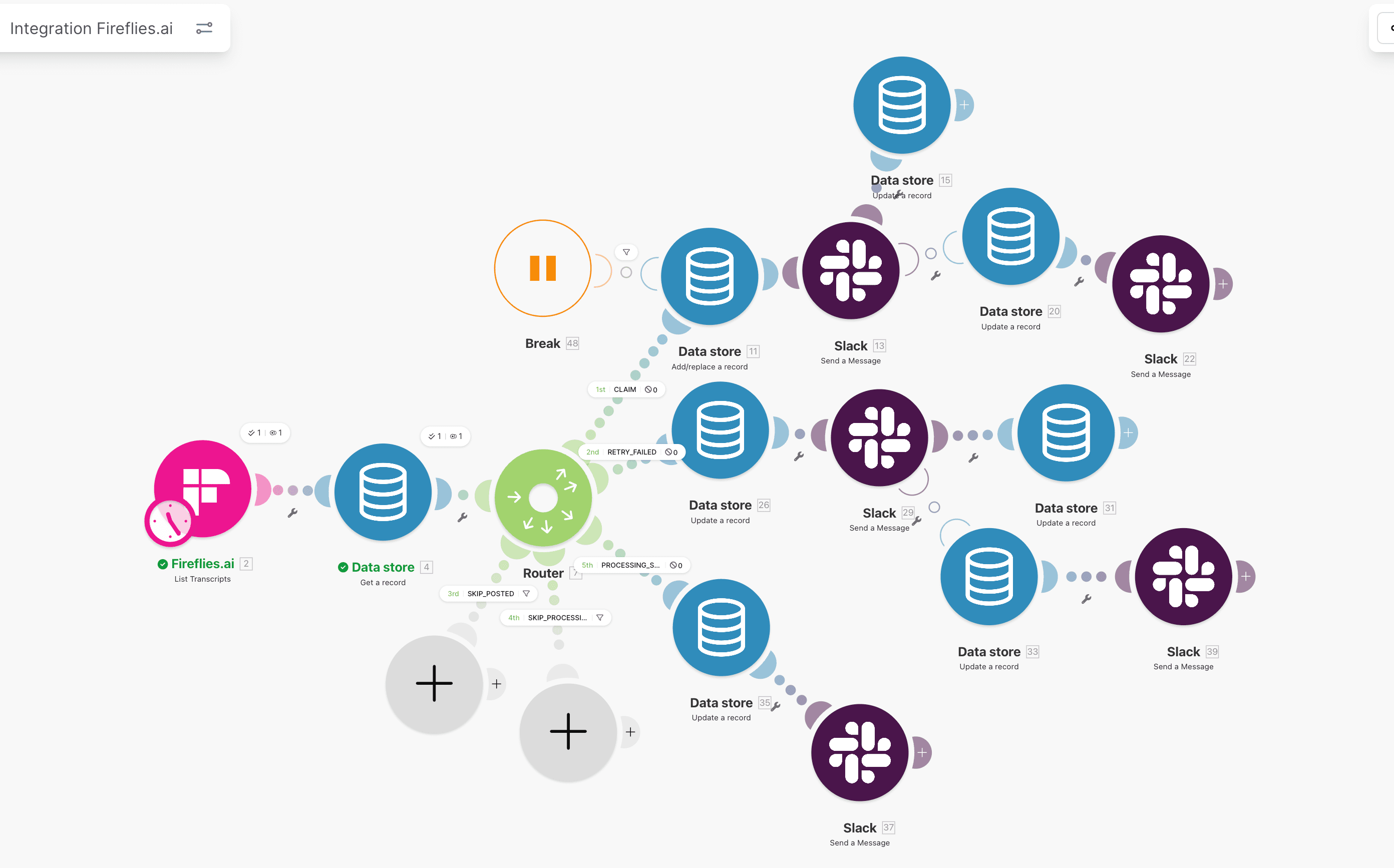
Use one map to identify overlapping trigger definitions before they collide in production.
Failure 2: Property updates without state validation
What to check
- Workflow actions that set critical properties directly.
- Missing IF checks on current property value.
- Re-enrollment paths that can overwrite advanced status.
How it fails silently
A contact can be promoted by sales activity and then demoted by a later automation pass because a form resubmission re-triggers a generic update workflow.
No crash occurs. HubSpot confirms each action as completed. Damage shows later:
- sales sees old stage and delays follow-up,
- score-driven routing sends contact into wrong queue,
- attribution reports mismatch actual sales process.
How to fix
Before every critical property write:
- read current state,
- compare allowed transitions,
- write only if transition is valid for that lane.
Operational rule:
- do not overwrite non-empty owner fields from generic intake workflows,
- do not allow stage rollback unless explicit remediation branch is active.
You can validate this quickly using property history and spot-checking 20 recent records.
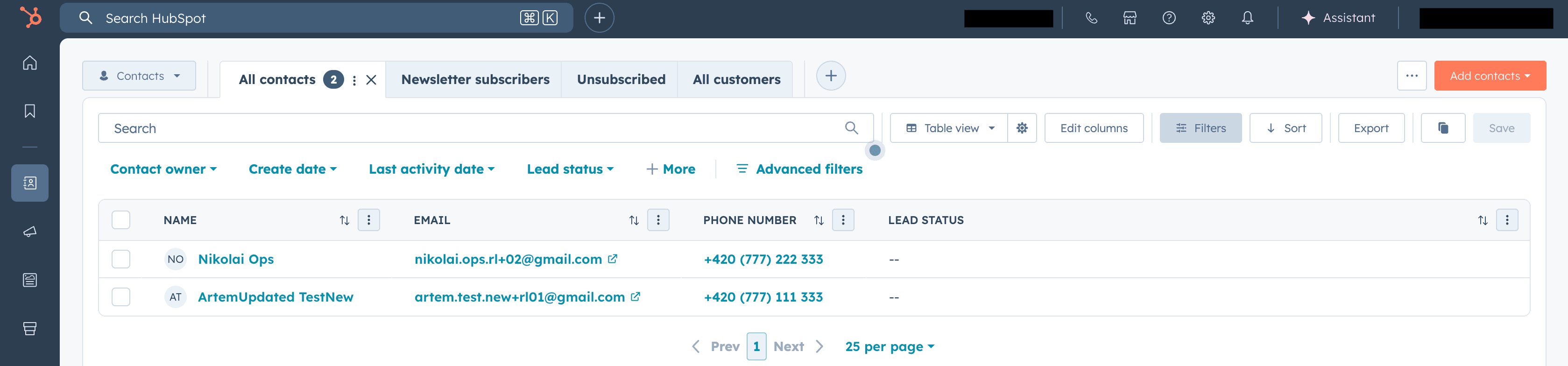
Validate that write actions touched only records that met expected gate conditions.
Failure 3: Webhook actions with no delivery verification
What to check
- HubSpot actions that call Make.com, custom endpoints, or middleware webhooks.
- No callback or acknowledgment from receiving side.
- No queue for failed sends.
How it fails silently
HubSpot action attempts webhook call. Destination times out or returns 500. HubSpot logs the attempt in history, but if nobody reviews failed calls, downstream systems miss events without visible alert to operators.
Typical impact:
- contact exists in HubSpot,
- onboarding system never receives create event,
- billing setup remains incomplete,
- team sees mismatch days later and does manual patching.
How to fix
Implement two-sided verification:
- sender side: weekly review of failed webhook actions,
- receiver side: explicit acknowledgment logging by event ID.
Add replay mechanism for missed acknowledgments and monitor failed handoffs in the same dashboard used for make.com monitoring in production.
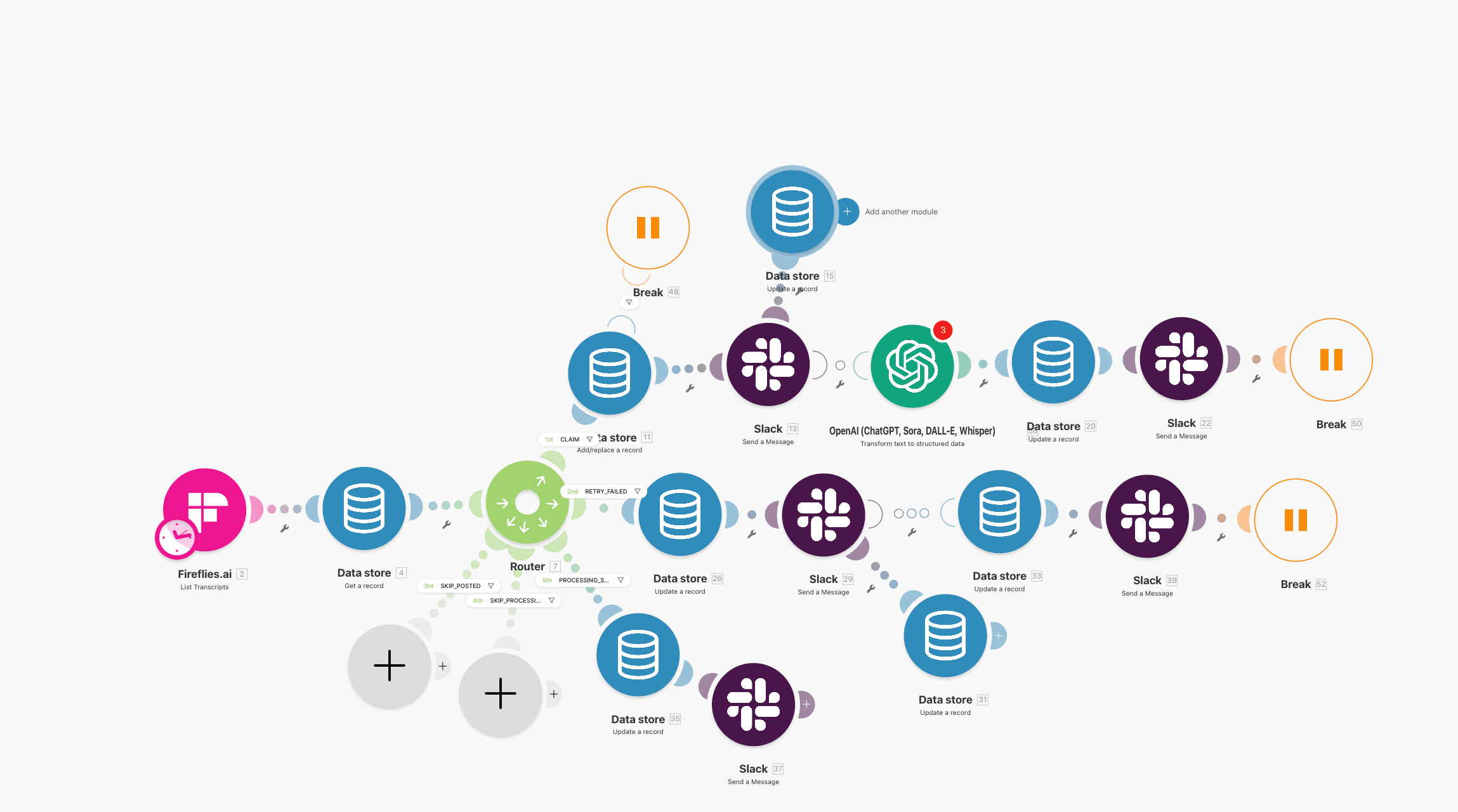
If a webhook branch has no acknowledgment check, it is an unowned reliability gap.
Service path
Need ops help beyond this article?
Current client work is Stripe Connect operations. See services for payout, triage, and verification lanes.
Failure 4: Re-enrollment settings are not intentional
What to check
- Re-enrollment setting for each workflow (
onoroff). - Which trigger fields can change repeatedly.
- Whether dedupe guards exist when re-enrollment is enabled.
How it fails silently
Two opposite failure modes happen:
- Re-enrollment off: repeat form submissions never trigger required updates.
- Re-enrollment on with no dedupe: same contact loops and creates duplicate tasks or deals.
Both can happen without hard errors. Workflow completion still appears normal.
How to fix
Use a documented matrix:
- one-time transition workflows -> re-enrollment off,
- recurring event workflows -> re-enrollment on plus idempotency guard.
Then test one record with three repeated trigger events and verify expected behavior.
If your lanes include HubSpot and Make.com handoffs, align this with HubSpot + Make.com error handling and source-level dedupe in webhook retry logic for duplicate-safe writes.
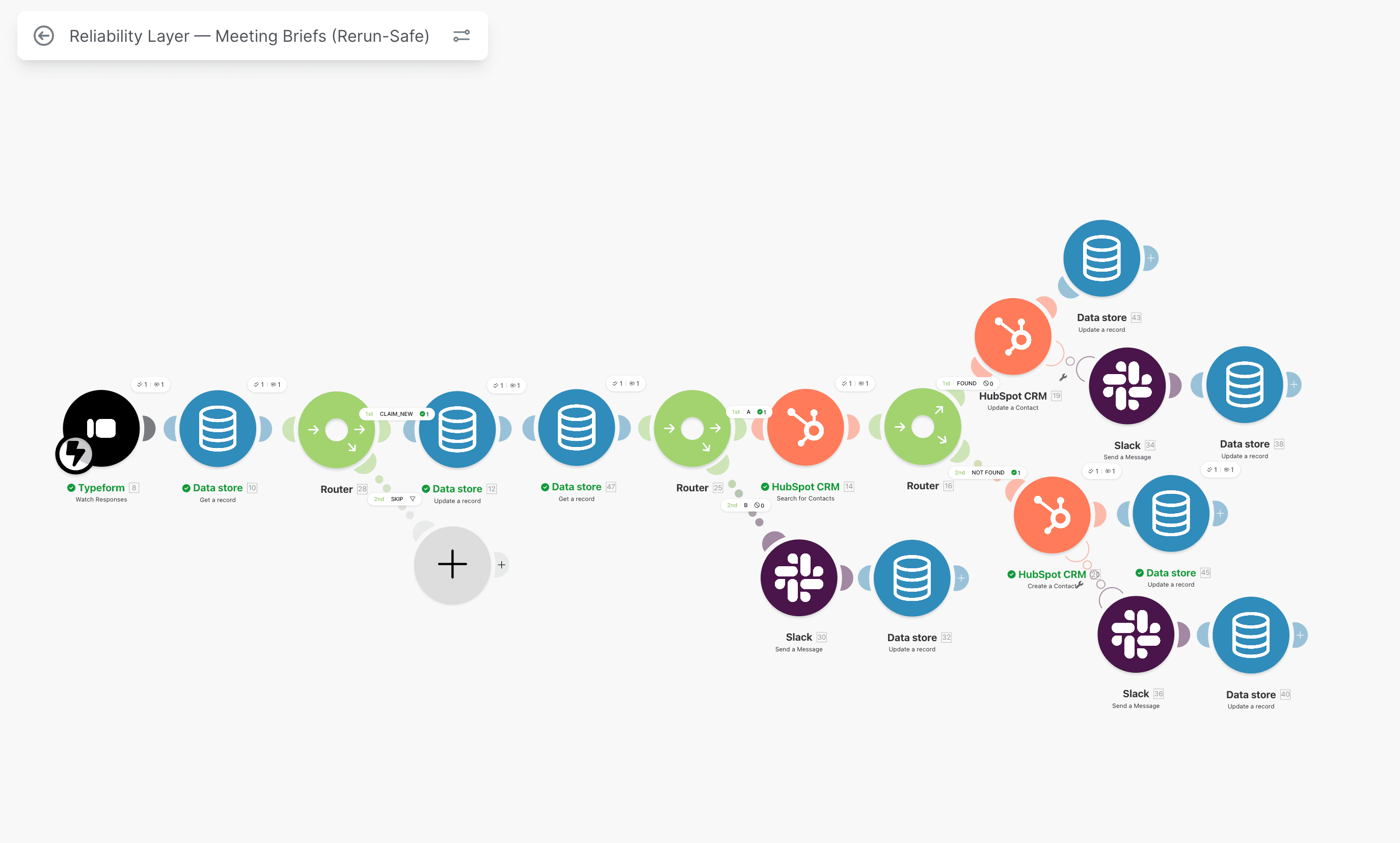
Re-enrollment only becomes safe when each write path is guarded by deterministic keys.
Failure 5: Delay steps execute on stale context
What to check
- Workflows with delays (hours or days).
- Whether delayed branch re-checks current state before action.
- Actions that assume state from enrollment time only.
How it fails silently
Contact enrolls at day 0. During delay, sales owner changes or lifecycle advances manually. At day 3, delayed step runs outdated logic and sends wrong message or reverts property.
No error is raised because action is valid syntactically. It is just wrong for current business state.
How to fix
After every delay, add re-validation branch:
- is contact still in expected lifecycle stage,
- is owner unchanged,
- is onboarding state still pending.
If re-check fails, exit without side effects and log as stale-context skip.
I use this same rule in finance and CRM lanes where delayed actions can produce expensive mismatch if state is not revalidated.
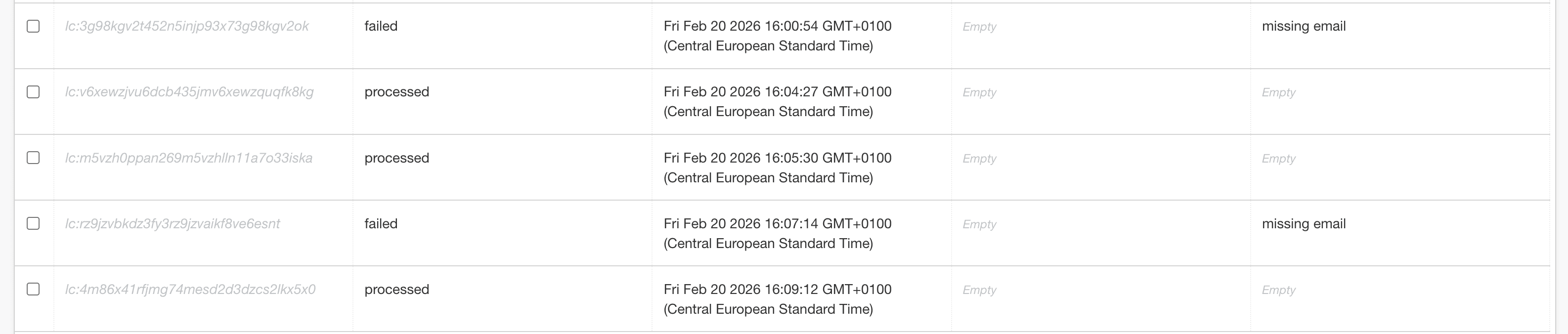
Delay branches need explicit post-delay state checks before write actions continue.
Failure 6: Dynamic list triggers create uncontrolled enrollment spikes
What to check
- Workflows enrolling by list membership.
- Whether list is dynamic and criteria are frequently edited.
- No enrollment throttling or spike alerts.
How it fails silently
A small list criteria edit can enroll hundreds of contacts immediately. Workflows run at scale, touching properties and tasks far beyond intended scope.
No platform crash occurs. Ops notices only after:
- huge enrollment jump,
- unexpected task volume,
- reporting volatility from mass property changes.
How to fix
For one-time campaigns, use static list snapshots. For dynamic lists:
- add rate controls,
- alert on enrollment spikes above expected threshold,
- require approval before criteria edits on production lists.
Set one red-flag threshold based on your typical daily enrollment volume. In one team, threshold of +300 unexpected enrollments in 1 hour caught a criteria mis-edit before full CRM drift.
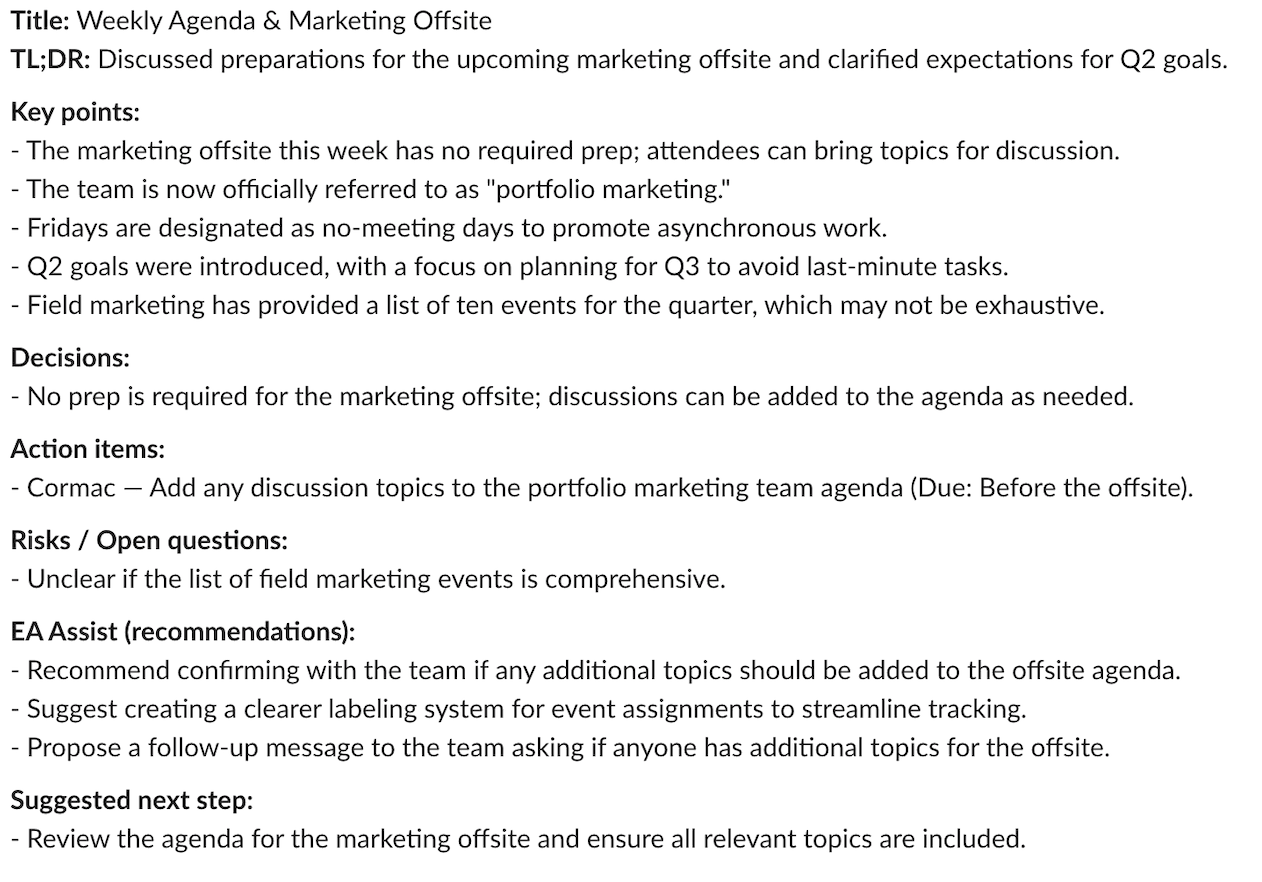
Enrollment spike alerts should include workflow, count delta, and clear owner.
Failure 7: No owner reviews workflow errors weekly
What to check
- Named owner per workflow lane.
- Standing review cadence for workflow error history.
- SLA for unresolved failures.
How it fails silently
HubSpot stores error history, but if nobody reviews it, failures accumulate quietly. After 3 to 4 weeks, cleanup backlog gets large and root-cause timing evidence is harder to reconstruct.
In one audit, error history showed 176 failed actions over 19 days with no owner assignment. Every individual issue looked minor, but combined impact was pipeline contamination and delayed handoffs.
How to fix
Implement minimal operating cadence:
- 15-minute workflow health review every Monday,
- top error classes reviewed with owner and ETA,
- unresolved failures above threshold trigger Slack alert and escalation.
Tie this with retry-safe implementation in HubSpot workflow automation so ownership, replay, and state controls stay aligned.
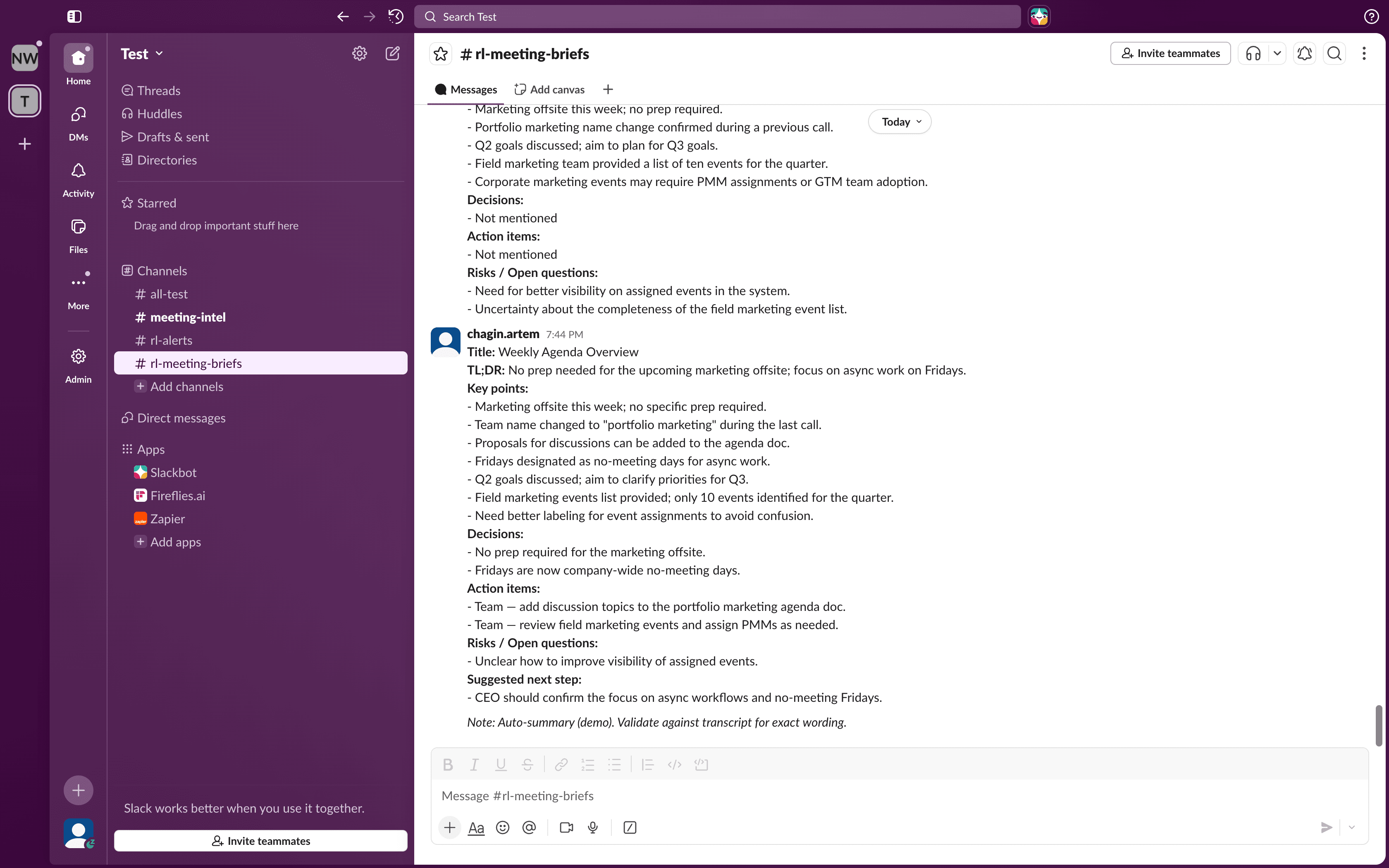
Errors should route to owners with context, not sit as passive history entries.
Audit scorecard
| Check | Pass / Fail |
|---|---|
| 1. No overlapping enrollment triggers | |
| 2. Property updates validated | |
| 3. Webhook errors monitored | |
| 4. Re-enrollment logic documented | |
| 5. Delays re-check contact state | |
| 6. List triggers controlled | |
| 7. Errors have an owner |
Results
- 0 to 2 fails -> minor gaps; fix lane by lane.
- 3 to 4 fails -> reliability risk; run full production audit this cycle.
- 5 to 7 fails -> CRM state is already compromised; start cleanup and control redesign immediately.
If score is 3 or higher, also review how to prevent duplicate contacts in HubSpot workflows and compare current controls with your active incidents.
30-day remediation plan after the audit
When teams finish the scorecard, they often ask whether to fix all failures at once. In production, that approach usually creates rollout risk. I use a phased remediation sequence that reduces live damage first, then improves architecture depth.
Week 1: stop current data damage
Priority actions:
- freeze high-risk workflow edits,
- patch overlapping enrollment collisions,
- block unsafe property overwrites on lifecycle and owner fields,
- assign one owner per workflow lane with escalation contact.
Deliverable:
- one-page risk map with red, amber, green workflow lanes.
Week 2: harden handoffs and retries
Priority actions:
- enforce webhook acknowledgment checks,
- add replay-safe branch for failed handoffs,
- enable daily review of failed action history,
- monitor duplicate-created events and stale context exits.
Deliverable:
- incident dashboard with owner, backlog age, and top failure classes.
Week 3: stabilize delayed and list-trigger logic
Priority actions:
- add post-delay state re-checks,
- lock dynamic list criteria change control,
- configure enrollment spike alerts with clear threshold,
- run two controlled load simulations.
Deliverable:
- signed validation evidence for each modified workflow.
Week 4: institutionalize operations
Priority actions:
- run first weekly workflow health review,
- convert repeated failure patterns into standard runbooks,
- set SLA for unresolved workflow incidents,
- define monthly audit cadence and ownership rotation backup.
Deliverable:
- operating runbook pack for ongoing workflow governance.
This four-week plan keeps scope realistic while reducing hidden incident debt quickly.
Evidence package to keep after each audit cycle
If audit output is not documented, teams repeat discovery every quarter. Keep one evidence pack per cycle:
- exported list of active workflows with owners,
- enrollment trigger matrix and overlap decisions,
- failed-action log summary with top root causes,
- before/after metrics for duplicate-created events,
- list membership spike history and remediation actions,
- replay decisions for failed webhook deliveries.
This evidence pack is what lets leadership verify that CRM reliability actually improved instead of just "getting cleaned manually again."
Next steps
Continue with the full production control path:
- Get the free 12-point reliability checklist
- HubSpot + Make.com error handling
- Webhook retry logic for duplicate-safe CRM writes
- View HubSpot workflow automation service
- Contact for a scoped audit if you are already seeing stage drift, duplicate tasks, or reporting mismatch
FAQ
How often should a hubspot workflow audit be run in production?
For active RevOps teams, run a focused audit monthly and a lighter weekly health review. Any major workflow edit, list criteria change, or integration rollout should trigger an immediate mini-audit before normal cadence resumes.
Can HubSpot alone prevent duplicate side effects from re-enrollment and webhook retries?
Not reliably in complex lanes. HubSpot workflow logic needs deterministic gating plus external acknowledgment controls when webhooks connect to Make.com or custom systems. Without those controls, retries can still create silent duplicate state.
What is the fastest first fix if we already have multiple silent failure patterns?
Start with ownership and state protection first: assign workflow owners, add validation before critical writes, and enforce one dedupe key on every external write path. That combination reduces immediate damage while you complete the rest of the audit controls.
Cluster path
HubSpot Workflow Reliability
Duplicate prevention, lifecycle integrity, and workflow ownership for revenue teams running HubSpot in production.
Related guides
Continue with these articles to close adjacent reliability gaps in the same stack.
March 8, 2026
HubSpot Integrations: Stop Duplicate Contacts and Silent Failures
HubSpot integrations fail when retries, owner sync ambiguity, and dirty CRM data collide. Learn the controls that stop duplicate contacts and silent workflow failures.
March 8, 2026
HubSpot Lead Routing Failures: Why Owners Go Missing
hubspot lead routing failures leave owners missing, assignments wrong, and handoffs delayed. This guide shows the controls that stop owner drift.
March 8, 2026
HubSpot Lifecycle Audit: 9 Failure Points Before Revenue Leaks
hubspot lifecycle automation audit finds 9 failure points behind stage drift, missing owners, and silent handoff errors before scale or AI amplify revenue leakage.
Free checklist: Stripe Connect Ops Checklist
Get the PDF after submission. Use it to run through payout, verification, and triage checks when connected account behavior breaks in production.
Free 30-minute discovery call available after review. Paid reliability audit from €500 if fit is confirmed.
Need reliability work in production?
Book a scoping call. I map the highest-risk lane and confirm fit before a paid audit. Start with a free 30-minute audit-scoping call. Paid reliability audit starts from €500 if fit is confirmed.